Windows Artefacts as Evidence

Windows artefacts are one of the most important sources of evidence in digital forensics and incident response (DFIR) investigations. Filesystem metadata, registry entries, execution traces, and application artefacts all leave traces that investigators use to reconstruct activity on Windows systems.
This series focuses on Windows forensic artefacts on Windows 10 and Windows 11, explaining what these artefacts can reliably prove, what they can’t, and how investigators should interpret them during real-world incident response.
This is a long-form Windows DFIR series about interpretation.
Most Windows artefacts are easy to collect and easy to misread. They feel like telemetry, but they’re usually just system memory: partial traces created for operating system or application reasons, shaped by configuration, user behaviour, and normal background activity. They support narrow claims well, and broad claims poorly.
The purpose of this series is to train analysts to treat artefacts as evidence, not as indicators that “mean” something on their own. That sounds simple, but it changes how you build timelines, how you corroborate, and how you write conclusions you can defend.
Who This Series Is For
This series is written for practitioners working in:
- Digital forensics and incident response (DFIR)
- Security operations centres (SOC)
- Threat hunting and investigation teams
- Law enforcement digital investigations
It assumes familiarity with Windows systems and basic forensic concepts. The focus is not on artefact extraction tools, but on interpretation and evidentiary reasoning.
What Are Windows Forensic Artefacts?
In digital forensics, an artefact is any trace of system or user activity that remains on a computer after an action occurs. On Windows systems, these artefacts are typically created by the operating system or applications as part of normal functionality.
Examples include:
- Prefetch files that record program execution
- ShellBags that record folder navigation
- Jump Lists that store recently accessed files
- Registry entries that record configuration or persistence
- Recycle Bin metadata that records file deletion activity
Individually, these artefacts rarely prove intent or provide a complete picture. Their value comes from correlation and constraint: combining multiple traces to support defensible conclusions about what happened on a system.
The articles in this series examine common Windows artefacts through that lens: not as indicators, but as evidence with limits.
How to Read This Windows Artefacts Series
Each article does three things.
- First, it explains what Windows or an application is trying to achieve, because artefacts make more sense when you understand the design goal behind them.
- Second, it narrows the evidentiary claim. Not what the artefact suggests, but what it can actually support.
- Third, it spends time on common failure reasons. Not because edge cases are rare, but because investigations tend to fail in predictable ways when pressure and timelines meet ambiguity.
If you only remember one rule, make it this: artefacts become valuable when they’re constrained, and they become dangerous when they’re treated as deterministic.
Articles

Understanding Windows Artefacts
This is the foundation. It defines the difference between “artefact as evidence” and “artefact as indicator”, explains why single-artefact reasoning fails, and establishes the habits that carry through the rest of the series.

Windows Recycle Bin Forensics
Deletion isn't absence, and clean-up behaviour is rarely as clean as it looks. This article explains what the Recycle Bin can support, where it misleads, and how to use it without drifting into assumptions about intent.

ShellBags and User Navigation
ShellBags are a record of navigation, not access. This article shows how to treat them as evidence of exploration and context, while resisting the urge to turn “was here” into “opened that”.
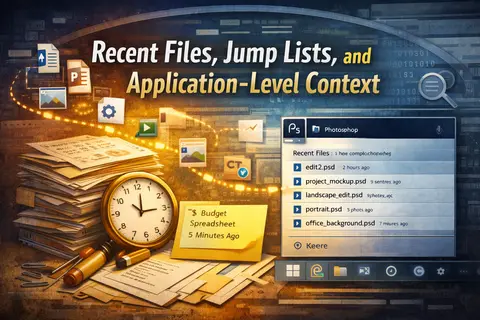
Recent files, Jump Lists, and Application-level Context
Applications remember “recent” in ways that don't map neatly to human intent. This article explains how recency artefacts are created, why analysts overinterpret them, and how to keep claims bounded when documents and data handling are central to the investigation.
What’s Coming Next
The series moves from endpoint artefacts into visibility, reconstruction, and defensibility: logging, timelines, negative space, and what Windows can’t tell you.
Once more posts are live, this landing page will include a more explicit progression guide.
If You’re Reading This During an Investigation
These articles aren’t a substitute for casework discipline. They’re an attempt to make that discipline easier to maintain when time pressure and ambiguity start pulling analysis toward certainty that the evidence doesn’t support.
If you need a fast mental model in the middle of a triage decision, start with the first article in the series: Understanding Windows Artefacts as Evidence, then jump to the artefact you’re dealing with. If you need to defend a conclusion in writing, pay attention to the sections that narrow claims and describe common challenges and failures. That’s where most reports succeed or fail.
This series is intentionally practitioner-focused. If you’re building an organisational incident response capability and want the strategic layer that sits above evidence collection and interpretation, Lykos Defence publishes complementary material on planning, incident response plans, playbooks, tabletop exercises, and collection management frameworks.